





Mastering Flutter UI & Core Graphics: 20 Advanced Layout Questions
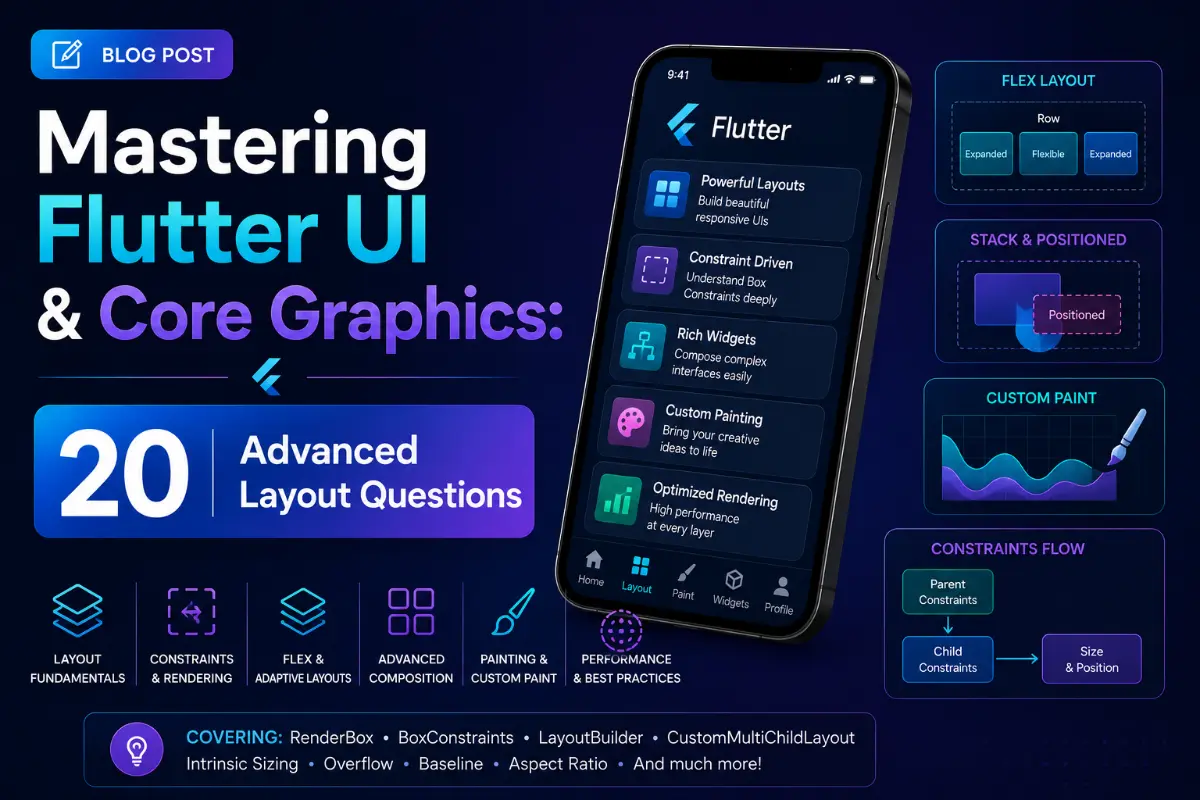
Flutter is renowned for its absolute visual control, bypassing native platform OEM widgets by drawing directly to a canvas. However, mastering custom graphics, high-performance animations, overlays, and slivers requires a deep understanding of layouts and render engines. This guide contains 20 unique, advanced UI questions and answers.
Questions Quick Links
- Q1. CustomPainter Lifecycle
- Q2. The Layout Constraint Rule
- Q3. InheritedWidget vs InheritedModel
- Q4. Custom RenderObjects
- Q5. Explicit Animation Essentials
- Q6. AnimatedBuilder vs AnimatedWidget
- Q7. Implicit vs Explicit Animations
- Q8. Sliver Architecture
- Q9. Slivers vs Standard ScrollViews
- Q10. Gesture Arena & Arena resolution
- Q11. Hero Custom Flights
- Q12. ClipPath & CustomClipper
- Q13. Overlay & OverlayEntry
- Q14. System UI Configuration
- Q15. Keyboard & Bottom Insets
- Q16. Custom Fonts & RichText Bounds
- Q17. MediaQuery vs LayoutBuilder
- Q18. Preloading Image Providers
- Q19. Impeller vs Skia Rendering
- Q20. Custom ScrollPhysics
Q1. Explain the CustomPainter lifecycle and how paint calls are optimized.
Answer:
CustomPainter is a low-level graphics wrapper. When a repaint is triggered, Flutter invokes the paint() method passing the Canvas and target Size. Repaint optimizations are managed in the shouldRepaint() method, which compares configuration properties with the old painter. If it returns false, the previously drawn layout list is reused, preventing canvas redrawing.
Q2. Explain the fundamental rule: "Constraints go down. Sizes go up. Parent sets position."
Answer:
- Constraints go down: A parent widget passes layout constraints (min/max width and height) to its child.
- Sizes go up: The child widget calculates its own size based on these constraints and passes its dimensions back up to the parent.
- Parent sets position: The parent determines where to align the child relative to its own coordinate space.
Q3. What is the difference between InheritedWidget and InheritedModel?
Answer:
An InheritedWidget rebuilds all dependent child widgets when its data updates. An InheritedModel allows child widgets to subscribe to specific fields (aspects) of the data, so children only rebuild if the exact field they depend on changes.
Q4. What is a custom RenderObject and when should you implement one?
Answer:
A RenderObject handles layout, paint, and hit-testing directly. You implement a custom one (e.g., subclassing RenderBox) when existing widget compositions cannot solve your layout constraints, or when you need specialized painting and layout performance logic.
Q5. What is the role of AnimationController and TickerProvider?
Answer:
An AnimationController generates values from 0.0 to 1.0 over a duration. The TickerProvider (implemented via SingleTickerProviderStateMixin) sends signals on every frame update, syncing the controller's calculations with the screen refresh cycle.
Q6. Compare AnimatedBuilder vs. AnimatedWidget.
Answer:
- AnimatedWidget: A helper base class to create reusable widgets that automatically listen to an animation and rebuild.
- AnimatedBuilder: A widget that takes a child and animates a subtree, separating child widget construction from the animation rebuild scope to save rendering overhead.
Q7. What is the difference between Implicit and Explicit animations?
Answer:
- Implicit Animations: Automatically animate when input values change (e.g.,
AnimatedContainer,AnimatedOpacity). Easy to use with no controller setup. - Explicit Animations: Controlled via an
AnimationController. They can loop, reverse, and pause (e.g.,RotationTransition,SizeTransition).
Q8. How does the Sliver architecture work in scrollviews?
Answer:
Slivers are portions of a scrollable area that compile layouts incrementally. A CustomScrollView accepts slivers (like SliverList, SliverGrid, SliverAppBar) to calculate layout constraints dynamically based on viewport dimensions.
Q9. Why are Slivers preferred over nesting ListViews inside SingleChildScrollView?
Answer:
Nesting regular list views forces Flutter to build all child items at once in memory. Slivers compute lazily based on viewport boundaries, keeping memory utilization flat regardless of list size.
Q10. Explain the Gesture Arena and gesture collision resolution.
Answer:
The **Gesture Arena** resolves competing user gesture recognizers. When a user drags or taps, all matching gesture recognizers are added to the arena. The arena evaluates motion parameters and declares a single winner, canceling the active state of other recognizers.
Q11. How do you customize a Hero flight animation?
Answer:
Use the flightShuttleBuilder property on a Hero widget to return a custom transitional widget during flight between routes, overriding the default fade-scaling.
Q12. What are ClipPath and CustomClipper?
Answer:
ClipPath takes a CustomClipper<Path> subclass. You define a custom vector Path in the clipper to mask child components into curved or angular shapes.
Q13. How do you draw floating widgets dynamically using Overlay?
Answer:
Use Overlay.of(context) and insert an OverlayEntry. This draws a floating widget (dropdown, tutorial tip, notification toast) directly onto the global overlay stack.
Q14. How do you configure StatusBar and system navigation bars?
Answer:
Use the SystemChrome API: SystemChrome.setSystemUIOverlayStyle(SystemUiOverlayStyle(statusBarColor: Colors.blue));.
Q15. How do you prevent the keyboard from overflowing layouts?
Answer:
Set resizeToAvoidBottomInset: true on the Scaffold. Adjust content using MediaQuery.of(context).viewInsets.bottom to push input fields above the active keyboard boundary.
Q16. How do you optimize rendering of complex nested text?
Answer:
Use RichText and TextSpan rather than multiple row widgets containing separate Text widgets. This executes a single text bounding layout calculation.
Q17. Compare MediaQuery vs. LayoutBuilder.
Answer:
- MediaQuery: Returns screen-level information (total height, width, padding). Rebuilds the widget whenever screen properties (orientation/keyboard) change.
- LayoutBuilder: Provides parent-level layout constraints (min/max size). Useful for building responsive widgets that adapt to container sizing.
Q18. How do you pre-cache network image assets?
Answer:
Call precacheImage(NetworkImage(url), context) in didChangeDependencies() to download and decode images before rendering them.
Q19. What is Impeller and how does it compare to Skia?
Answer:
Impeller is Flutter's modern rendering engine. Unlike Skia, it pre-compiles shaders during build time, eliminating shader compilation jank on runtime canvas initialization.
Q20. How do you implement custom scrolling physics?
Answer:
Subclass ScrollPhysics and override methods (like applyPhysicsToUserOffset() or createBallisticSimulation()) to customize velocity, resistance, and boundary bounces.
Written by UI & Core Graphics Expert
Senior Career Advisor & Recruitment Specialist at JobPortalConnect. With years of experience in HR matching, they review resumes, optimize career pathways, and interview recruiting partners directly.