





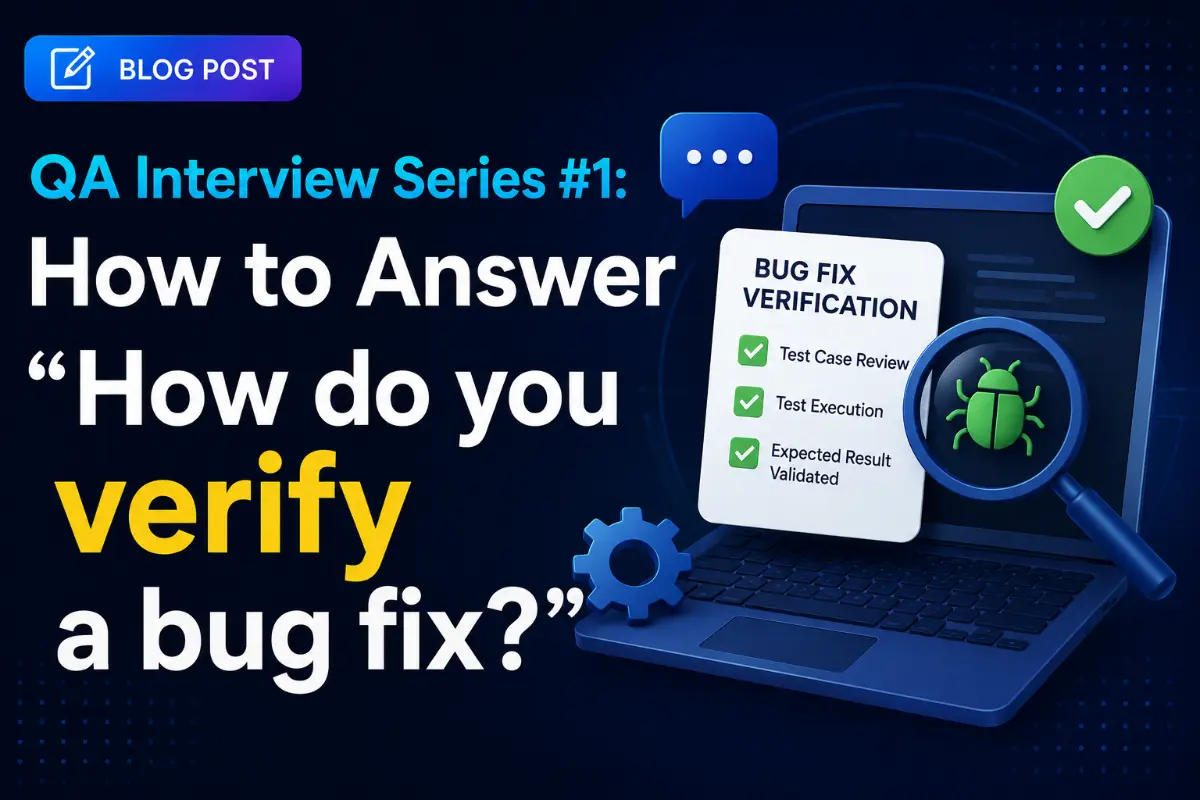
QA Interview Series #1: How to Answer "How do you verify a bug fix?"
Welcome to the first installment of our QA Interview Series. In software testing, the way you answer seemingly simple questions reveals the depth of your engineering mindset. Interviewers do not just want to hear that you can execute test steps; they want to see how you analyze risk, think about regression impact, and ensure system stability. Let's break down a classic question that separates standard testers from exceptional QA engineers.
Guide Highlights
- 📍 The Interview Question
- ❌ The Wrong (Weak) Answer
- ✅ The Correct (Strong) Answer
- 🧠 Why the Strong Answer Stands Out
- 💡 QA Interview Tips & Structures
- 🔍 Deep Dive: Login API Regression Scope
📍 The Interview Question
During a QA or SDET technical round, you are likely to face this core question:
"How do you verify that a bug has been fixed?"
❌ The Weak Answer
"I just rerun the same test case that originally failed. If it passes, I mark the bug as Fixed."
Why this is weak:
This answer only demonstrates confirmation testing. It completely ignores the possibility that the fix may have introduced new issues elsewhere in the application (side effects). Interviewers look for candidates who understand that bug verification is more than checking whether one specific scenario now works.
✅ The Strong Answer
"First, I perform confirmation testing by executing the original steps that reproduced the defect to ensure the issue is resolved.
Next, I perform regression testing on related features that could be affected by the code change. Depending on the risk and impact, this may include testing neighboring workflows, edge cases, boundary conditions, and different user roles or platforms.
Finally, I verify that the fix doesn't introduce any unexpected side effects before closing the defect."
🧠 Why the Strong Answer Stands Out
A strong QA engineer understands the critical distinction between testing concepts:
- Confirmation Testing (Re-testing): Verifying that the reported defect is successfully fixed.
- Regression Testing: Verifying that existing functionality still works and that no new issues were introduced after the fix.
This response demonstrates:
- Risk-Based Thinking: Realizing that changes pose risks to stable systems.
- Impact Analysis: Checking surrounding systems instead of just checking a single path.
- Structured Testing Approach: Adhering to a logical process (verify -> check impact -> test edge cases -> sign off).
💡 QA Interview Tip: Go Beyond the Happy Path
Whenever you are asked "How would you test [Feature X]?" or "How do you verify [Issue Y]?", never stop after describing the happy path. A standout response should cover:
- Happy Path: The primary successful workflow.
- Negative Scenarios: Invalid inputs, system timeouts, unauthorized attempts.
- Edge Cases: Boundary limits, low-resource states, interrupted flows.
- Regression Impact: What other modules could this code break?
- Risk Assessment: What are the high-consequence failure points?
🔍 Deep Dive: Login API Regression Scope
Let's apply this risk-based regression strategy. If a developer changes the Login API to fix a single bug, testing only username/password login is a major risk. Here is the structured regression scope a Principal QA Engineer would define:
1. Authentication Flows
- Credential Validation: Testing empty fields, invalid formats, wrong passwords, and case sensitivity.
- Alternative Login Methods: Verifying Google, Apple, and social OAuth login endpoints.
- Biometric Logins: Ensuring FaceID/Fingerprint tokens are generated and stored correctly.
2. Session & Token Lifecycle
- Token Expiration: Verifying silent refresh token interceptors automatically fetch new access tokens without logging the user out.
- Auto-Login / "Remember Me": Testing persistence when the app is force-closed.
- Concurrent Sessions: Ensuring multi-device login sessions are tracked and invalid sessions are cleared.
3. Downstream API Requests
Any change to token structure (headers, claims, formats) could break downstream APIs that check authorization headers. We must run regression tests on:
- Dashboard listings / Profile views.
- Read/Write actions expecting authenticated payloads.
4. Security & Rate Limits
- Brute Force: Verifying that the account gets locked after N failed attempts.
- Injection Checks: Testing input sanitization for SQL Injection and script tags.
- Error Information Leaks: Ensuring error responses don't disclose backend infrastructure or stack traces.
5. System Transitions & Disruptions
- Network Switching: Initiating login and switching from Wi-Fi to cellular data mid-request.
- App State Changes: Backgrounding the app or rotating the screen during active authentication requests.
- Password Reset & MFA: Verifying standard password reset redirects, magic link flows, and OTP inputs.
Written by QA Lead Architect
Senior Career Advisor & Recruitment Specialist at JobPortalConnect. With years of experience in HR matching, they review resumes, optimize career pathways, and interview recruiting partners directly.