




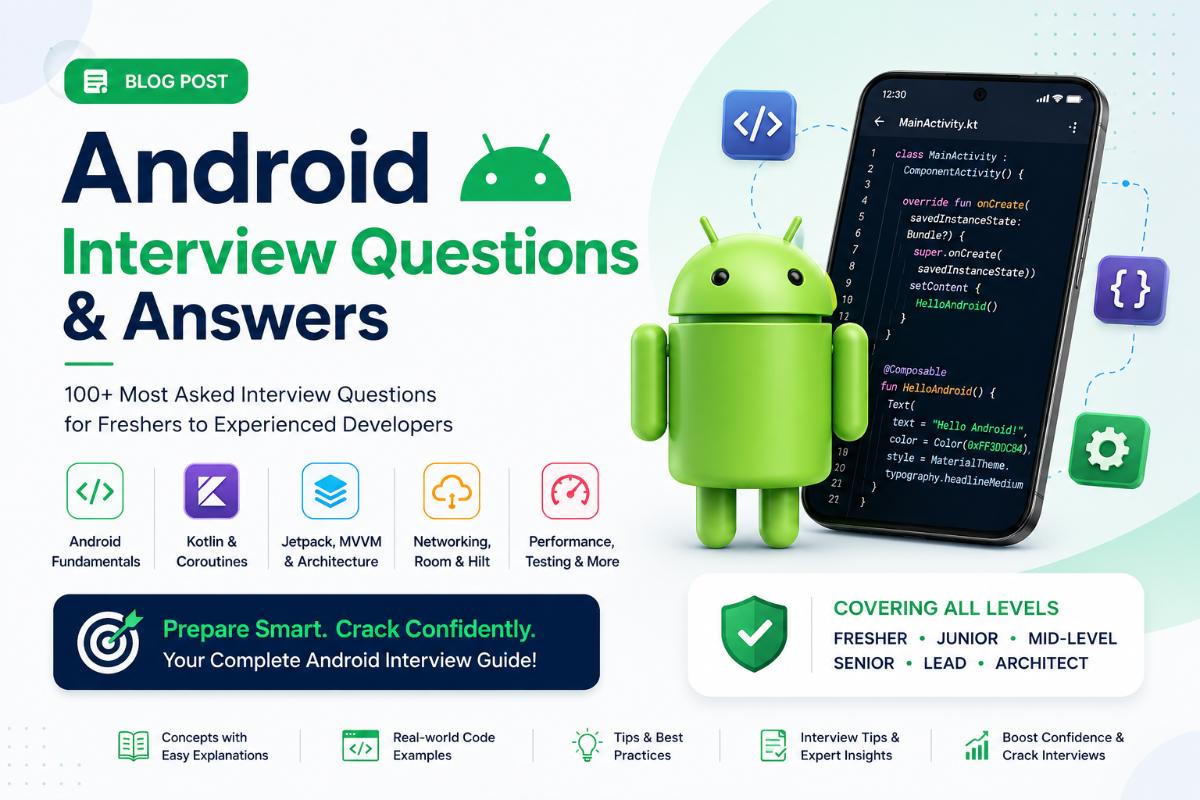
Android Developer Interview Questions & Answers (2–4 Years Experience)
1. What are the advantages of Kotlin over Java in Android development?
Answer:
Kotlin provides several advantages over Java:
- Null Safety
- Coroutines for asynchronous programming
- Extension Functions
- Data Classes
- Less boilerplate code
Example:
data class User(
    val id: Int,
    val name: String
)
Kotlin automatically generates equals(), hashCode(), copy(), and toString() methods.
2. What is Jetpack Compose?
Answer:
Jetpack Compose is Android's modern declarative UI toolkit used to build native Android UI with less code and better maintainability.
Example:
@Composable
fun WelcomeScreen() {
    Text("Welcome to Android")
}
3. What is the difference between Jetpack Compose and XML Layouts?
Answer:
| XML | Compose |
|---|---|
| Imperative UI | Declarative UI |
| More Boilerplate | Less Boilerplate |
| Separate XML files | Kotlin-only UI |
| findViewById/ViewBinding | State-driven UI |
4. What is MVVM Architecture?
Answer:
MVVM stands for:
- Model
- View
- ViewModel
Structure:
UI → ViewModel → Repository → API/Database
Benefits:
- Separation of Concerns
- Easy Testing
- Better Maintainability
5. What is ViewModel?
Answer:
ViewModel stores and manages UI-related data and survives configuration changes like screen rotation.
Example:
class UserViewModel : ViewModel() {

    val users = MutableLiveData<List<User>>()

}
6. What is LiveData?
Answer:
LiveData is a lifecycle-aware observable data holder.
Example:
viewModel.users.observe(this) {
    adapter.submitList(it)
}
7. What is Room Database?
Answer:
Room is Android's ORM layer over SQLite.
Components:
- Entity
- DAO
- Database
Example:
@Entity
data class User(
    @PrimaryKey
    val id: Int,
    val name: String
)
8. What is WorkManager?
Answer:
WorkManager is used for background tasks that need guaranteed execution.
Examples:
- File Upload
- Data Sync
- Notifications
Example:
class SyncWorker(
    context: Context,
    params: WorkerParameters
) : Worker(context, params) {

    override fun doWork(): Result {
        return Result.success()
    }
}
9. Why use WorkManager instead of Services?
Answer:
WorkManager:
- Guaranteed execution
- Battery optimized
- Survives app restarts
Service:
- Not guaranteed
- Can be killed by OS
10. What is Retrofit?
Answer:
Retrofit is a type-safe HTTP client used to consume REST APIs.
Example:
interface UserApi {

    @GET("users")
    suspend fun getUsers(): List<User>

}
11. What is OkHttp?
Answer:
OkHttp is the networking engine behind Retrofit.
Used for:
- Request Execution
- Logging
- Authentication
- Caching
12. What is an Interceptor?
Answer:
Interceptor modifies requests and responses.
Example:
class AuthInterceptor : Interceptor {

    override fun intercept(
        chain: Interceptor.Chain
    ): Response {

        val request = chain.request()
            .newBuilder()
            .addHeader("Authorization", token)
            .build()

        return chain.proceed(request)
    }
}
13. Explain Coroutines.
Answer:
Coroutines are lightweight threads used for asynchronous programming.
Example:
viewModelScope.launch {

    val users = repository.getUsers()

}
Benefits:
- Less memory usage
- Easy to read
- Better than callbacks
14. Difference Between launch and async?
launch
launch { }Returns Job.
async
async { }Returns Deferred.
Used when a result is required.
15. What is StateFlow?
Answer:
StateFlow is a state holder observable flow.
Example:
private val _state =
    MutableStateFlow(UiState())
Used in modern MVVM architecture.
16. What is Firebase Cloud Messaging (FCM)?
Answer:
FCM is used to send push notifications.
Types:
- Notification Messages
- Data Messages
Example:
{
  "title":"Order Delivered",
  "body":"Your order has arrived"
}
17. Explain Repository Pattern.
Answer:
Repository acts as a single source of truth between data sources and UI.
Example:
class UserRepository(
    private val api: UserApi,
    private val dao: UserDao
)
18. What Design Patterns have you used?
Answer:
Common Android Design Patterns:
- MVVM
- Repository Pattern
- Singleton Pattern
- Observer Pattern
- Builder Pattern
Example Singleton:
object NetworkManager19. How do you optimize Android App Performance?
Answer:
- Use RecyclerView efficiently
- Avoid memory leaks
- Use Paging 3
- Lazy loading
- Minimize overdraw
- Optimize network calls
Tools:
- Android Profiler
- LeakCanary
20. Explain Memory Leak with Example.
Answer:
A memory leak occurs when an object is no longer needed but cannot be garbage collected.
Bad Example:
object AppManager {
    var activity: Activity? = null
}
This can retain Activity references and cause leaks.
21. What is Material Design?
Answer:
Material Design is Google's design system that provides consistent UI guidelines.
Examples:
- Material Buttons
- Cards
- Bottom Navigation
- Floating Action Button
22. How do you publish an App to the Google Play Store?
Answer:
Steps:
- Generate Signed APK/AAB
- Create Play Console Account
- Upload AAB
- Add Store Listing
- Configure Content Rating
- Submit for Review
- Release to Production
23. What is CI/CD?
Answer:
CI/CD automates build, testing, and deployment.
Popular Tools:
- Jenkins
- GitHub Actions
- AWS CodePipeline
- Bitbucket Pipelines
Benefits:
- Faster Releases
- Reduced Errors
- Automated Testing
24. Scenario Question: How would you implement Offline Support?
Answer:
Architecture:
UI
↓
Room Database
↓
Repository
↓
API
Flow:
- Load data from Room
- Sync with API
- Update Room
- UI observes Room changes
- This is called Offline-First Architecture.
25. Scenario Question: How would you handle API Failure?
Answer:
- Use try-catch
- Show meaningful error message
- Retry mechanism
- Cache previous data
Example:
try {
    repository.getUsers()
} catch (e: Exception) {
    showError()
}
26. What Android Architecture would you use for a Production App?
Answer:
Recommended Architecture:
MVVM + Clean Architecture
Tools:
- Jetpack Compose
- ViewModel
- StateFlow
- Hilt
- Retrofit
- Room
- Coroutines
- WorkManager
Benefits:
- Scalable
- Testable
- Easy Maintenance
- Industry Standard
27. What is the Android Activity Lifecycle?
Answer:
The Activity Lifecycle defines different states an Activity goes through during its lifetime.
Lifecycle Methods:
onCreate()
onStart()
onResume()
onPause()
onStop()
onDestroy()
Interview Follow-Up:
When should API calls be made?
Generally in:
onCreate()or
ViewModelto survive configuration changes.
28. Difference Between onStart() and onResume()
Answer:
| onStart() | onResume() |
|---|---|
| Activity becomes visible | Activity becomes interactive |
| User cannot interact yet | User can interact |
| Called before Resume | Called after Start |
29. What is a Fragment?
Answer:
A Fragment represents a reusable portion of UI inside an Activity.
Example:
class HomeFragment : Fragment(
    R.layout.fragment_home
)
Benefits:
- Reusability
- Modular UI
- Better tablet support
30. Fragment Lifecycle vs Activity Lifecycle
Answer:
Additional Fragment methods:
onAttach()
onCreateView()
onViewCreated()
onDestroyView()
onDetach()
Important:
onDestroyView()is called before
onDestroy()31. What is View Binding?
Answer:
View Binding generates type-safe references to XML views.
Example:
private lateinit var binding:
ActivityMainBinding

binding.btnLogin.text = "Login"
Benefits:
- No findViewById()
- Null-safe
- Faster development
32. Difference Between View Binding and Data Binding
Answer:
| View Binding | Data Binding |
|---|---|
| View references only | Supports data binding expressions |
| Faster | Slightly slower |
| Easier | More powerful |
33. What is Dependency Injection?
Answer:
Dependency Injection provides dependencies from outside instead of creating them inside a class.
Bad:
val api = ApiService()Good:
class UserRepository(
    private val api: ApiService
)
Benefits:
- Loose coupling
- Better testing
- Scalability
34. What is Hilt?
Answer:
Hilt is Google's recommended Dependency Injection framework built on top of Dagger.
Setup Example:
@HiltAndroidApp
class MyApp : Application()
Inject dependency:
@Inject
lateinit var repository: UserRepository
35. What is Constructor Injection?
Example:
class UserRepository @Inject constructor(
    private val api: ApiService
)
Why Preferred?
- Easier testing
- Immutable dependencies
- Cleaner code
36. What is Singleton Pattern?
Answer:
Ensures only one instance exists throughout the application.
Example:
object NetworkManagerUse Cases:
- Retrofit Instance
- Database Instance
- Shared Preferences Manager
37. What is Observer Pattern?
Answer:
Observer Pattern allows objects to receive updates when data changes.
Example:
LiveData
StateFlow
When data changes:
ViewModel
 ↓
Observers notified
38. What is Builder Pattern?
Example:
AlertDialog.Builder(this)
    .setTitle("Delete")
    .setMessage("Confirm?")
    .show()
Benefits:
- Readable code
- Flexible object creation
39. What is RecyclerView?
Answer:
RecyclerView efficiently displays large datasets.
Components:
- Adapter
- ViewHolder
- LayoutManager
Example:
recyclerView.adapter = userAdapter40. Difference Between RecyclerView and ListView
Answer:
| RecyclerView | ListView |
|---|---|
| ViewHolder mandatory | Optional |
| Better performance | Less efficient |
| Flexible LayoutManager | Limited layouts |
41. What is DiffUtil?
Answer:
DiffUtil calculates list differences efficiently.
Example:
ListAdapter<User, ViewHolder>(
    UserDiffUtil()
)
Benefits:
- Better animations
- Efficient updates
42. What is Paging 3?
Answer:
Paging 3 loads data in chunks.
Benefits:
Faster scrolling
Reduced memory usage
Better API performance
Example:
PagingConfig(
    pageSize = 20
)
43. What is Deep Linking?
Answer:
Deep Linking opens a specific screen from a URL.
Example:
<intent-filter>
    <data
        android:scheme="https"
        android:host="myapp.com"/>
</intent-filter>
URL:
https://myapp.com/profile44. What are PendingIntents?
Answer:
Allows another application or system component to execute your Intent later.
Example:
PendingIntent.getActivity(
    context,
    0,
    intent,
    PendingIntent.FLAG_IMMUTABLE
)
Used in:
- Notifications
- Alarms
45. What is Broadcast Receiver?
Answer:
Receives system-wide broadcasts.
Example:
class BatteryReceiver :
BroadcastReceiver()
Common Uses:
- Battery changes
- Network changes
- Boot completed
46. What is Foreground Service?
Answer:
A service visible to the user through a persistent notification.
Example:
Music Player
GPS Tracking
Fitness App
Benefits:
Less likely to be killed
47. Difference Between Service and WorkManager
Answer:
| Service | WorkManager |
|---|---|
| Immediate work | Deferrable work |
| May be killed | Guaranteed execution |
| User-facing tasks | Background jobs |
48. What is Proguard / R8?
Answer:
Used for:
- Code shrinking
- Obfuscation
- Optimization
Example:
minifyEnabled trueBenefits:
- Smaller APK
- Better security
49. What is ANR?
Answer:
ANR = Application Not Responding
Occurs when:
Main Thread Blocked > 5 SecondsBad Example:
Thread.sleep(10000)50. How do you avoid ANRs?
Answer:
Use:
Dispatchers.IOfor:
- Database Calls
- Network Calls
- File Operations
- Never block UI thread.
51. What is a Memory Leak?
Answer:
Memory that is no longer needed but still referenced.
Bad Example:
object Manager {
    var activity: Activity? = null
}
Activity cannot be garbage collected.
52. How do you detect Memory Leaks?
Answer:
Tools:
- LeakCanary
- Android Profiler
Common causes:
- Static Activity references
- Unregistered receivers
- Long-running callbacks
53. What is StrictMode?
Answer:
Developer tool used to detect:
- Disk access on UI thread
- Network access on UI thread
- Resource leaks
Example:
StrictMode.enableDefaults()54. What is Firebase Analytics?
Answer:
Tracks user behavior.
Examples:
Button Clicks
Purchases
Screen Views
App Opens
Used for product insights.
55. What is Firebase Crashlytics?
Answer:
Crash reporting solution.
Benefits:
- Real-time crash reports
- Stack traces
- Device information
56. Explain Push Notification Flow.
Answer:
Server
 ↓
Firebase Cloud Messaging
 ↓
Device
 ↓
Application
Types:
- Notification Message
- Data Message
57. What is State Management in Jetpack Compose?
Example:
var count by remember {
    mutableStateOf(0)
}
When state changes:
Recomposition occurs58. What is Recomposition?
Answer:
Compose redraws only affected UI when state changes.
Benefits:
- Efficient rendering
- Better performance
59. What is remember?
Example:
val count = remember {
    mutableStateOf(0)
}
Retains state during recomposition.
60. What is rememberSaveable?
Example:
val count = rememberSaveable {
    mutableStateOf(0)
}
Survives:
- Rotation
- Configuration changes
61. What is CI/CD Pipeline?
Answer:
Pipeline:
Code Commit
 ↓
Build
 ↓
Unit Tests
 ↓
QA
 ↓
Deploy
Tools:
- Jenkins
- AWS CodePipeline
- GitHub Actions
62. What would you do if API is slow?
Answer:
Solutions:
- Pagination
- Caching
- Retry Mechanism
- Compression
- Lazy Loading
63. How would you improve App Startup Time?
Answer:
- Lazy initialization
- Baseline Profiles
- Reduce dependency loading
- Optimize Application class
64. Explain Offline-First Architecture.
Flow:
UI
 ↓
Room
 ↓
Repository
 ↓
API
Benefits:
- Works offline
- Better user experience
- Faster loading
65. Describe an Android Project Architecture you've worked on.
Sample Answer:
"We used MVVM + Clean Architecture with Jetpack Compose, Hilt, Retrofit, Room, Coroutines, StateFlow, WorkManager, and Firebase. The application followed Presentation, Domain, and Data layers, making it scalable, testable, and easy to maintain."
Written by JobPortal Editorial Team
Senior Career Advisor & Recruitment Specialist at JobPortalConnect. With years of experience in HR matching, they review resumes, optimize career pathways, and interview recruiting partners directly.