



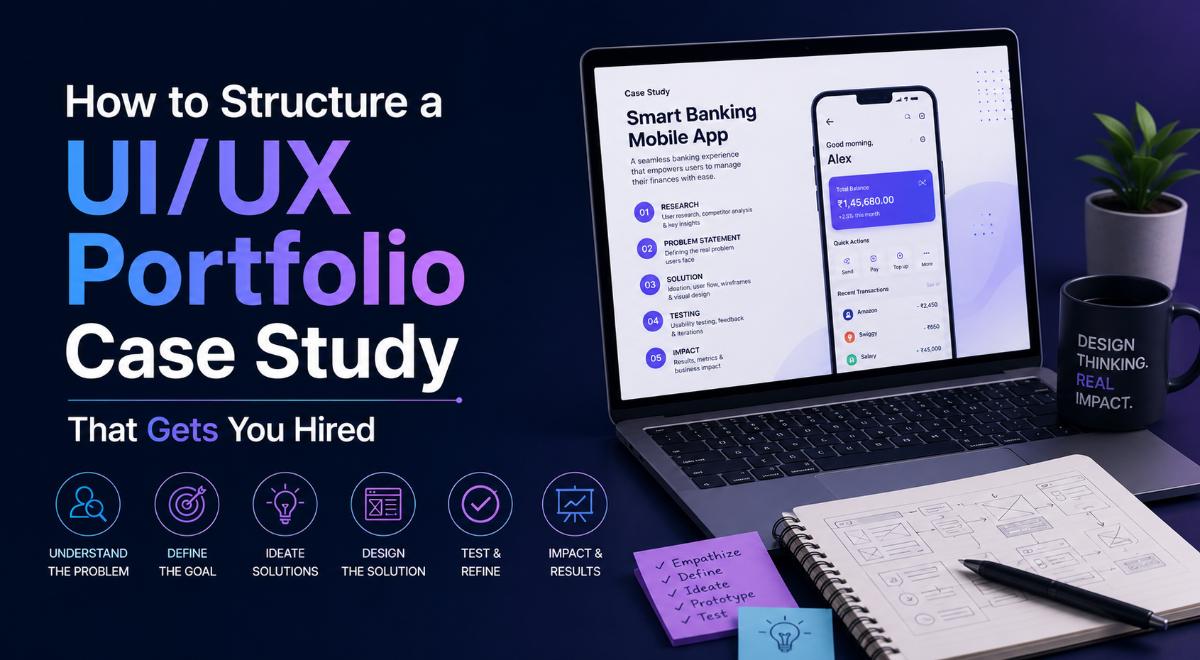
How to Structure a UI/UX Portfolio Case Study That Gets You Hired
Design is More Than Pretty Screens
Many aspiring UI/UX designers make the mistake of creating portfolios that only showcase beautiful high-fidelity designs on Behance or Dribbble. While visual appeal is important, hiring managers and product design leads care far more about your **process**. They want to know *how* you solved a user problem, *why* you chose a specific layout, and how you validated your design decisions. A successful UI/UX portfolio must tell a structured story through detailed case studies.
To stand out in the competitive design market, your portfolio should showcase 2 or 3 comprehensive case studies. This article outlines the step-by-step structure to write a design case study that gets you hired.
1. Introduction and Project Overview
Start with a summary of the project. A recruiter should understand the project context within 30 seconds of loading the page.
- The Problem Statement: Clear, concise explanation of the user pain point or business challenge you set out to solve.
- My Role: Clearly define your responsibilities (e.g., User Research, Wireframing, Prototyping, Usability Testing).
- Constraints: Mention project limitations such as timelines, tech limitations, or brand requirements.
2. User Research and Insights
Demonstrate that you design for real users, not your personal preferences.
- Explain who you interviewed or surveyed, and share the key findings.
- Create a simple **User Persona** representing your target user.
- Detail the **User Journey Map** to highlight the current pain points in the user experience.
3. Ideation and Wireframes (Low-Fidelity)
Show your initial concepts and layout iterations. This proves that you explore multiple ideas before jumping to final visuals.
- Show rough sketches or low-fidelity wireframes (digital or paper-based).
- Explain the **Information Architecture (IA)** and the main user flow diagrams.
- Detail *why* you discarded some layout ideas in favor of others.
4. High-Fidelity Design and Usability Testing
Show the final visual designs and how they perform with real users.
- Show high-fidelity UI mockups (preferably interactive Figma links).
- Explain how you conducted **Usability Testing** on the interactive prototype.
- Highlight the user feedback you received and show before/after comparisons of design elements you updated based on that testing.
5. Conclusion and Lessons Learned
Conclude by sharing the outcomes and personal growth points:
- Impact Metrics: If possible, state how your designs helped (e.g., *“Reduced checkout completion time by 15% during testing”*).
- Key Takeaways: What did you learn from this project? What would you do differently next time?
Written by JobPortal Editorial Team
Senior Career Advisor & Recruitment Specialist at JobPortalConnect. With years of experience in HR matching, they review resumes, optimize career pathways, and interview recruiting partners directly.